 Shopify app
A wholesale order form for Shopify with your whole catalog on one page
Quick Order B2B Grid adds an ordering page to your Shopify store. B2B buyers find products by name, SKU or barcode, paste a list or import a CSV, see their own catalog prices and send the whole order to the cart at once.
14-day free trial · $19.99/month or $199.99/year · every feature in both plans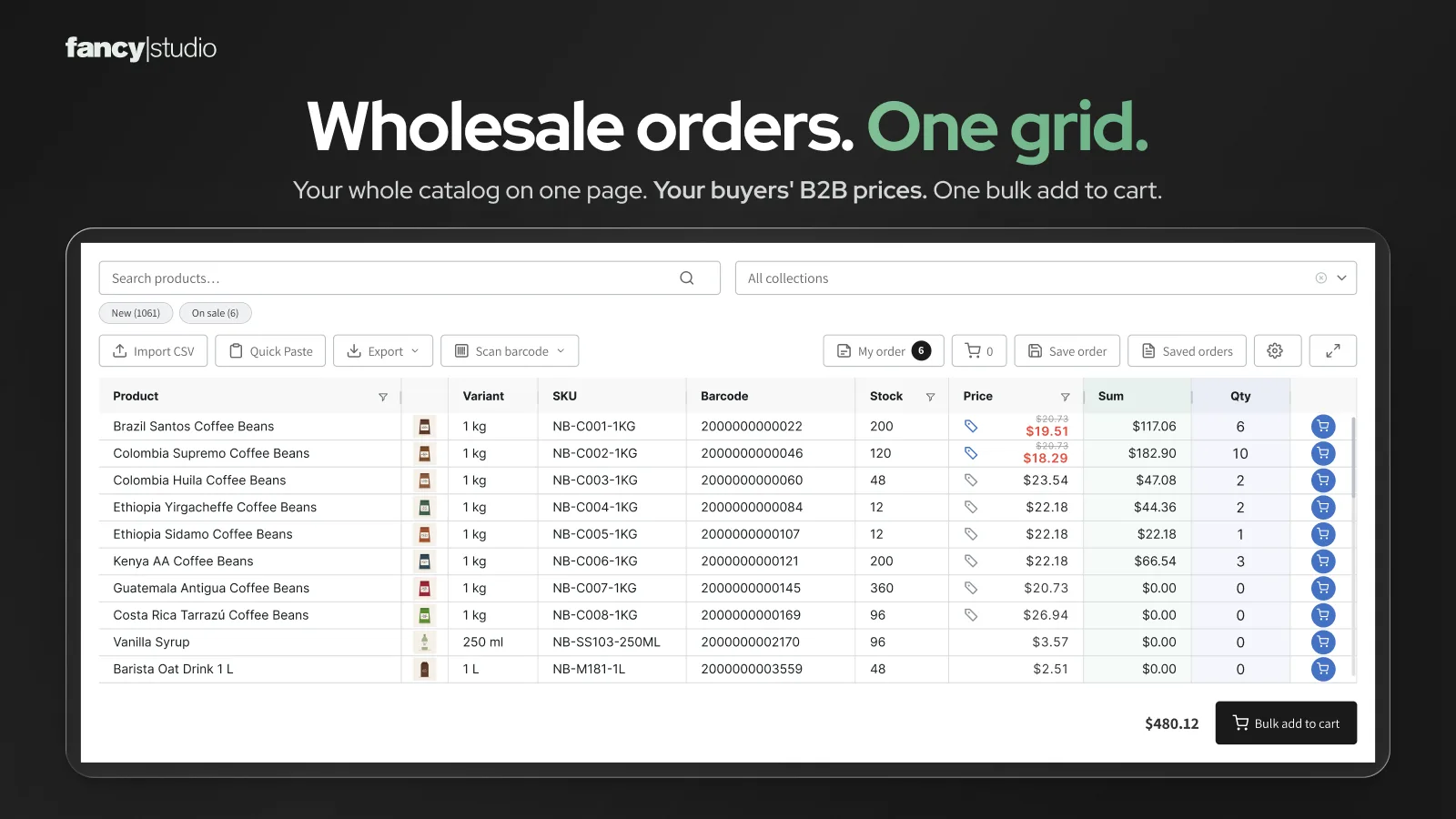
Shopify's quick order list covers one product. Wholesale orders cover dozens
Shopify has a quick order list section for product pages. It is a good way to order several sizes or colours of one product. A wholesale buyer reordering 40 different products needs the whole catalog in one place.
Shopify quick order list
- A section on product pages
- Shows the variants of one product
- Free Shopify themes 11.0.0 or later, or added in code
- Buyers still go product by product
Source: Shopify Help Center
Quick Order B2B Grid
- Its own ordering page, linked from your menu
- Your whole catalog, every variant as a row
- Works on any theme, no code
- Search, paste, import or scan, then add everything at once
Four ways to fill a wholesale order
Buyers use whatever they already have: a SKU list in an email, a spreadsheet from their system, a barcode on the shelf, or just a product name.
Search
Type a product name, SKU or barcode and the grid filters as you type. Collection filter and New / On sale pills are built in.
Quick Paste
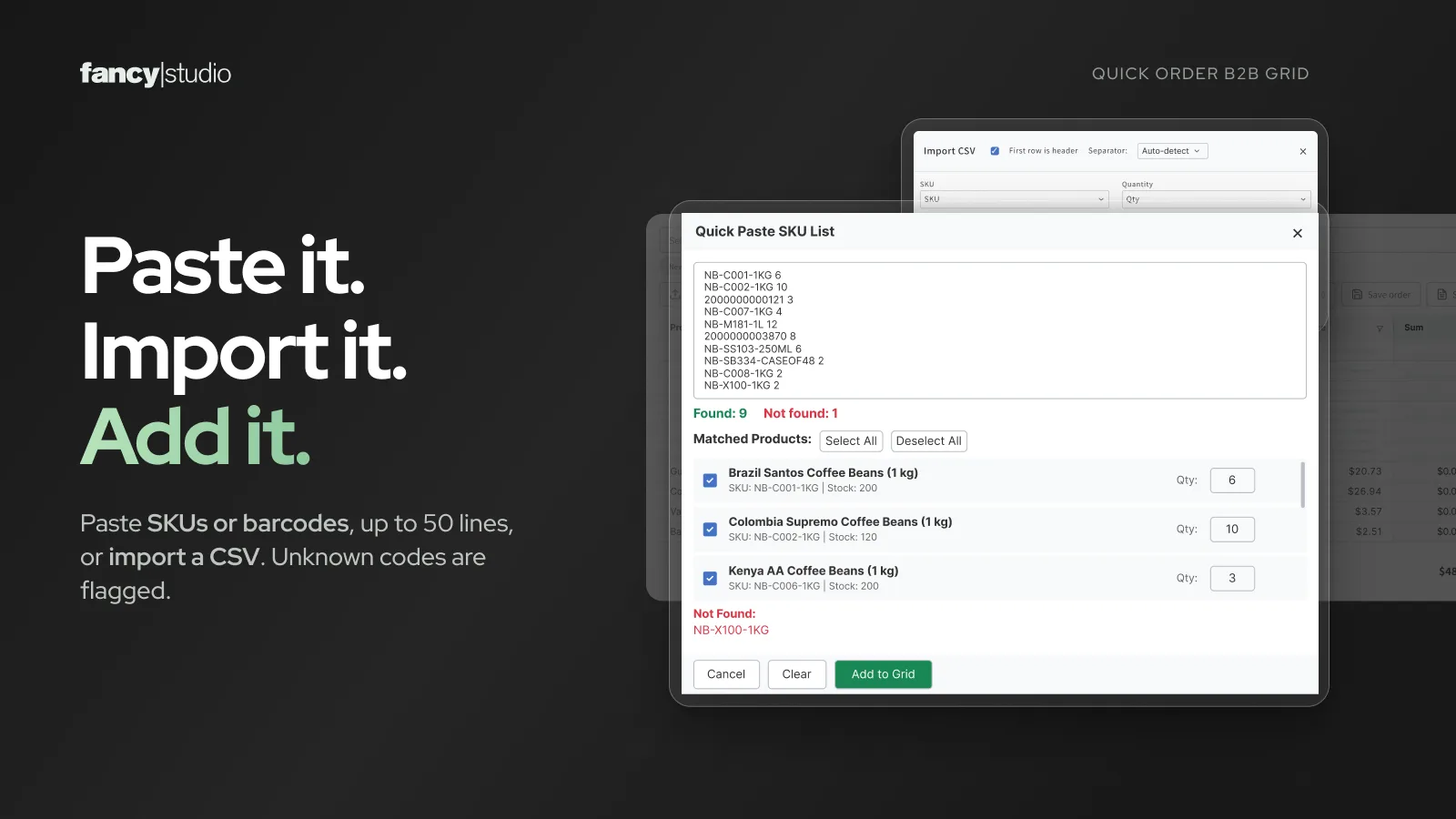
Paste up to 50 SKUs, barcodes or product names with quantities, one per line. Check the matches and add them to the grid.
CSV import
Upload a CSV of up to 5,000 rows and map its columns. Rows are matched by SKU, then barcode, then product name.
Barcode scanning
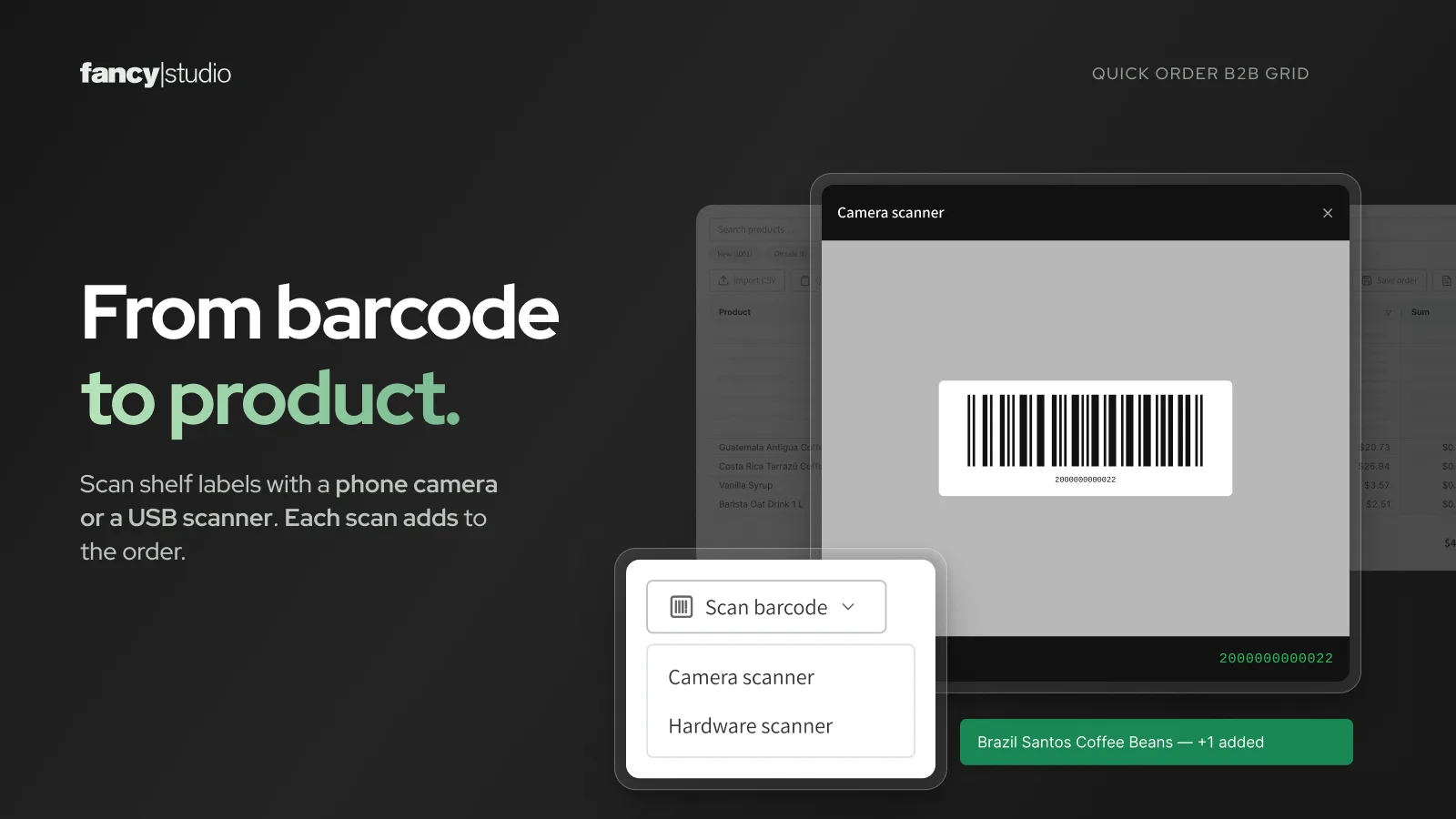
Scan with a phone or laptop camera (EAN-13, EAN-8, UPC-A, Code-128) or any USB or Bluetooth scanner.
Each buyer sees their own B2B prices
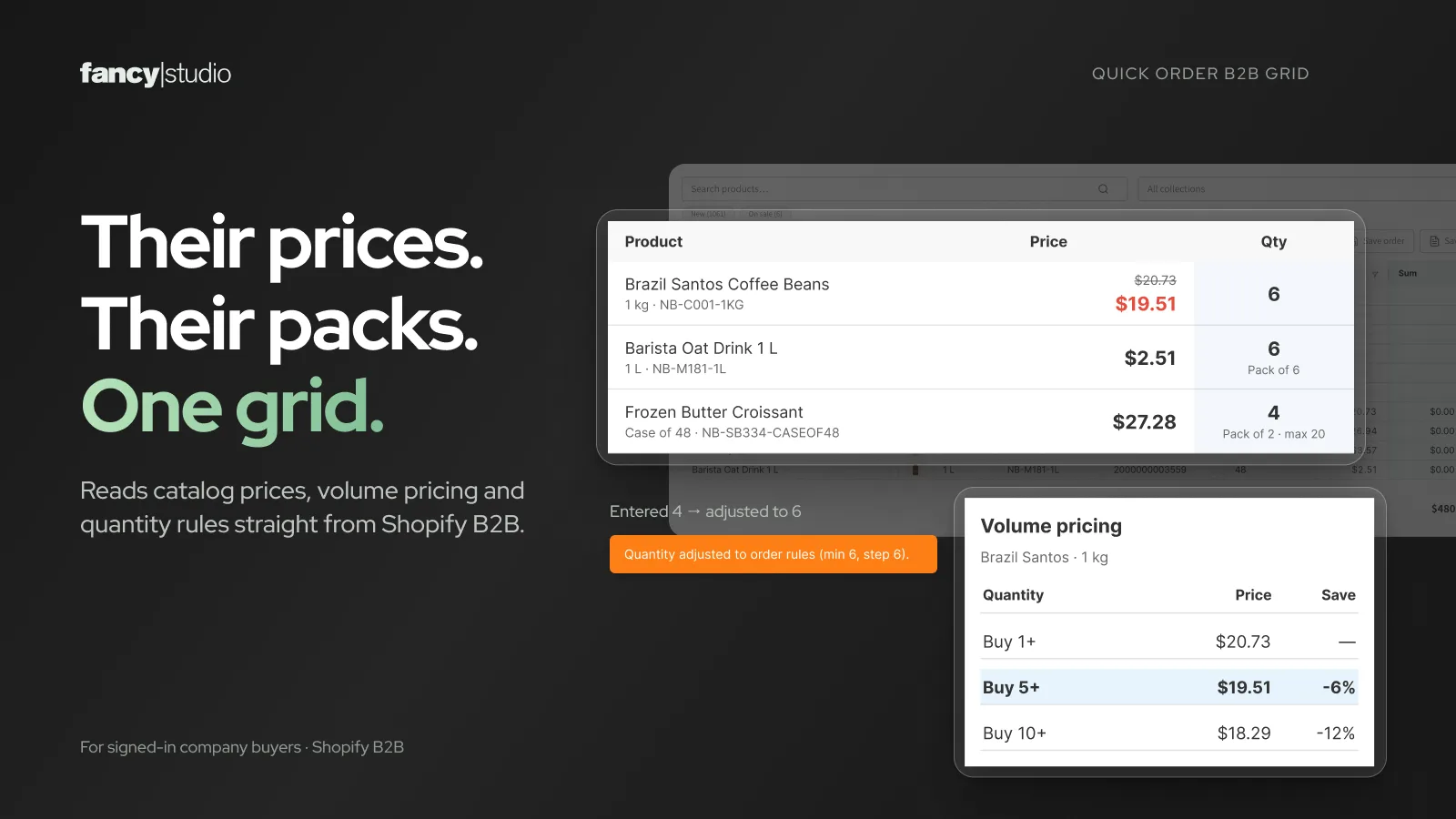
For logged-in buyers who belong to a company in Shopify B2B, the grid shows the catalog price for their company location, with volume price breaks and quantity rules (minimum, maximum and pack size). The cart uses the same prices.
Native B2B is no longer limited to Shopify Plus: since April 2026 Basic, Grow and Advanced include company profiles, volume pricing and up to three B2B catalogs.
Selling in Europe? You can also show B2B buyers prices excluding and including VAT side by side. How dual VAT prices work.
From the first order to the weekly reorder
Saved orders
Buyers save an order as a template and load it again next week. Up to 50 per logged-in customer by default.
Bulk add to cart
Every row with a quantity goes to the cart in one request. Stock is checked first and quantities are capped where needed.
Export the order
Download the order as CSV, Excel with formulas, PDF for approval or XML for your system.
Access control
Open the page to everyone, to logged-in customers only, or to customers with specific tags.
Your columns
Choose, pin and order the columns, and add product metafields such as pack size or origin.
Large catalogs
Built for big B2B catalogs, up to around 50,000 variants in the browser.
Live on your Shopify store in three steps
No code and no theme changes. The order page runs at /apps/quick-order on any theme.
Install
Install Quick Order B2B Grid from the Shopify App Store and choose a plan. The 14-day trial includes every feature.
Set it up
In the app, choose who can open the page, which columns show and which features buyers get.
Add the link
Add the Quick Order block in the theme editor or put the page in your menu, so buyers can find it.
Step-by-step guide with screenshots: Shopify documentation
Questions about the Shopify wholesale order form
No. Shopify's quick order list is a theme section for product pages. It lists the variants of that one product. Quick Order B2B Grid is a separate ordering page with your whole catalog, so a buyer can order many different products from one place.
No. The app works on any Shopify plan and any theme. B2B catalog prices, volume pricing and quantity rules come from native Shopify B2B, which since April 2026 is also available on Basic, Grow and Advanced.
Yes. You choose who can open the page: all customers, logged-in customers only, or customers with specific tags. Visitors who do not qualify see a message with a log-in link.
The prices Shopify gives them. Logged-in buyers who belong to a B2B company see their catalog price, volume price breaks and quantity rules, and the cart uses the same prices.
Yes. They can import a CSV of up to 5,000 rows and map its columns, or paste up to 50 SKUs, barcodes or product names with quantities. Rows are matched by SKU, then barcode, then product name.
$19.99 per month or $199.99 per year, with a 14-day free trial. Both plans include all features. Billing runs through Shopify.
Shopify guides
Best wholesale order form and quick order apps for Shopify
How the main quick order and bulk order apps compare, and which one fits which store.
Read guideShow prices excluding and including VAT on Shopify
What Shopify's tax settings can do, and how B2B buyers can see net and gross prices together.
Read guideGive your Shopify B2B buyers a faster way to order
14-day free trial. $19.99 per month or $199.99 per year after that, with every feature included.